Virtual LAN (VLAN)
Introduction
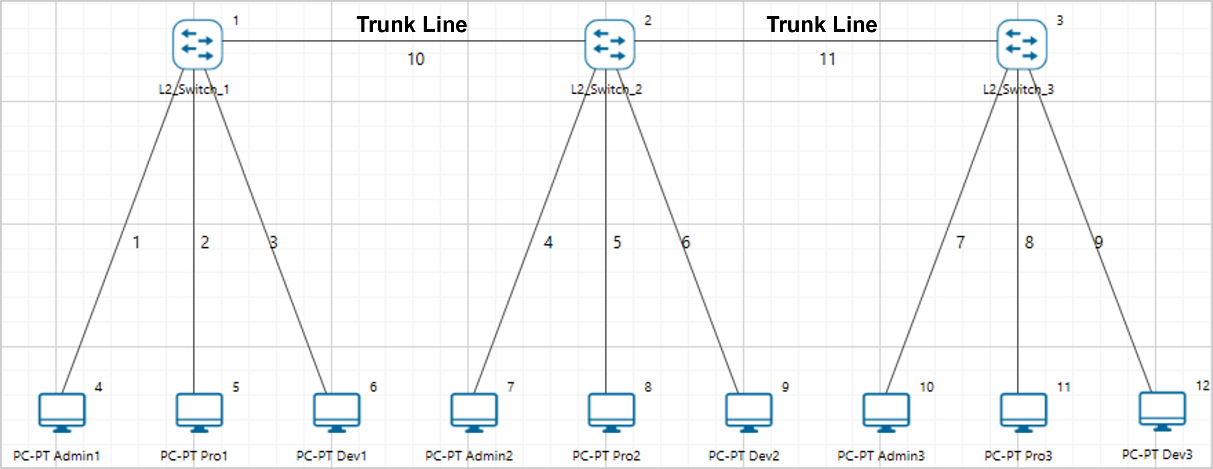
VLAN stands for Virtual Local Area Network. It is used in switches and operates at Layer 2 and Layer 3. A VLAN is a group of hosts that communicate as though they were attached to the same broadcast domain regardless of their physical location.
For example, all workstations and servers used by a particular workgroup can be connected to the same VLAN regardless of their physical connections to the network or the fact that they might be intermingled with other teams. VLANs have the same attributes as physical LANs, but you can group end stations even if they are not physically located on the same LAN segment.
A VLAN behaves like a LAN in all respects but with additional flexibility. By using VLAN technology, it is possible to subdivide a single physical switch into several logical switches.
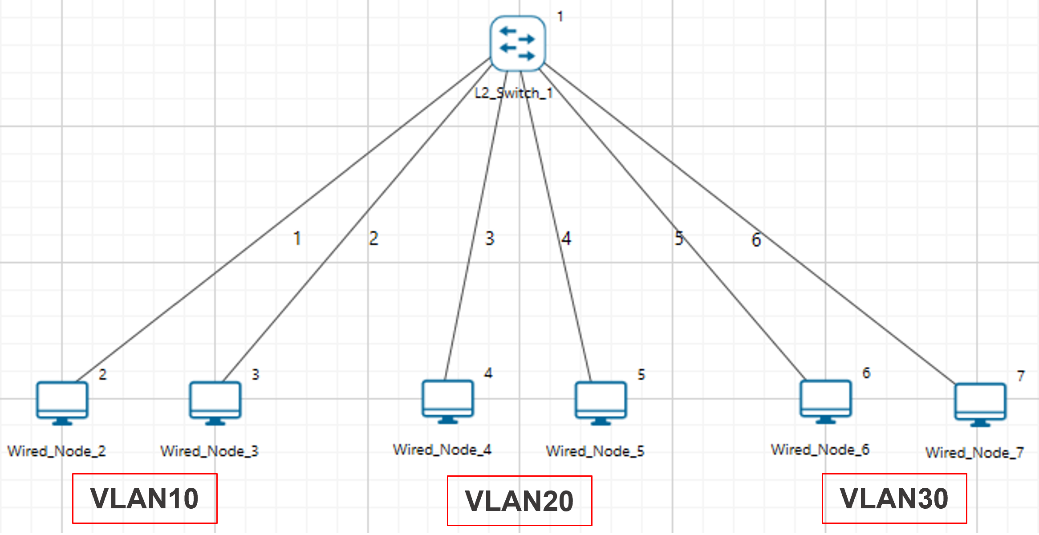
Switches implement VLANs by adding a VLAN tag to Ethernet frames as they enter the switch. The VLAN tag contains the VLAN ID and other information determined by the interface from which the frame enters the switch.
Packets destined for stations that do not belong to the VLAN must be forwarded through a router.
When do we need a VLAN
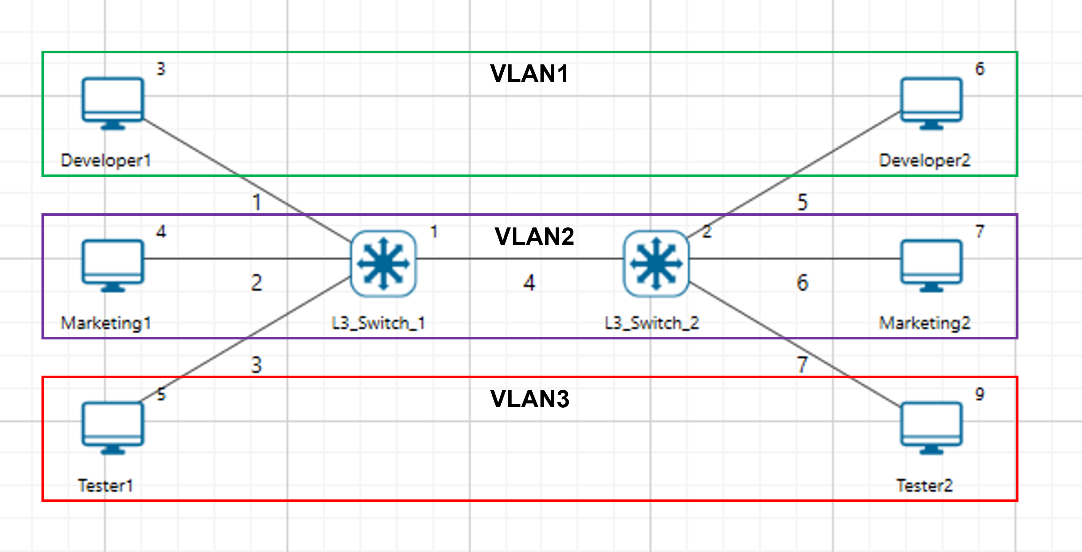
You need to consider using VLANs in any of the following situations:
You have more than 200 devices on your LAN.
You have a lot of broadcast traffic on your LAN.
Groups of users need more security or are being slowed down by too many broadcasts.
Groups of users need to be on the same broadcast domain because they are running the same applications.
VLAN ID
VLANs are identified by a VLAN ID, a number between 0 and 4095. Each port on a switch or router can be assigned to be a member of a VLAN.
On a switch, traffic sent to a port that is a member of VLAN 2 may be forwarded to any other VLAN 2 port on the switch, and it can also travel across a trunk port to another switch and be forwarded to all VLAN 2 ports on that switch.
Understanding Access and Trunk Links
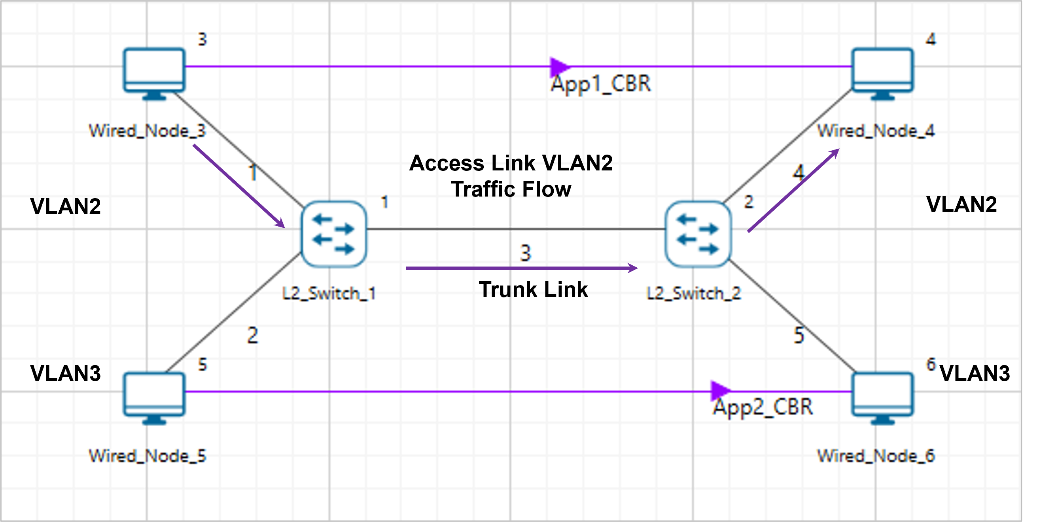
The links connecting the end devices are called access links. These links usually carry the data VLAN information. The link between switches is called a trunk link. It carries packets from all the VLANs.
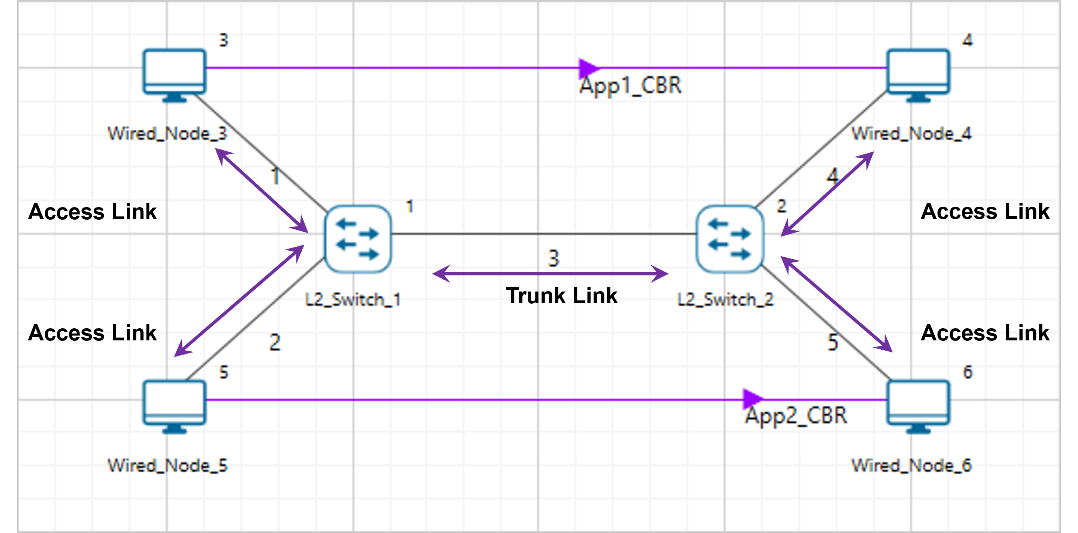
Access Link
Access link connection is the connection where a switch port is connected with a device that has a standardized Ethernet NIC. Access link connections can only be assigned to a single VLAN.
Trunk Link
Trunk link connection is the connection where a switch port is connected with a device that can understand multiple VLANs. Usually, trunk link connection is used to connect two switches.