Featured Examples
Access Control Lists (ACLs) Examples
ACL Example
This example models a network and simulates an ACL to understand how ACL filters inbound and outbound traffic at a router interface.
The network model consists of:
Two subnets with 2 wired nodes, 1 router each, and 3 applications.
ACLs with both permit and deny rules defined on the router interfaces.
NetSim uses the following directions for ACL simulations:
The direction of the ACL is set to both, meaning the ACL applies to both inbound and outbound traffic.
The direction of the ACL is set to inbound, meaning the ACL applies to inbound traffic only.
The direction of the ACL is set to outbound, meaning the ACL applies to outbound traffic only.
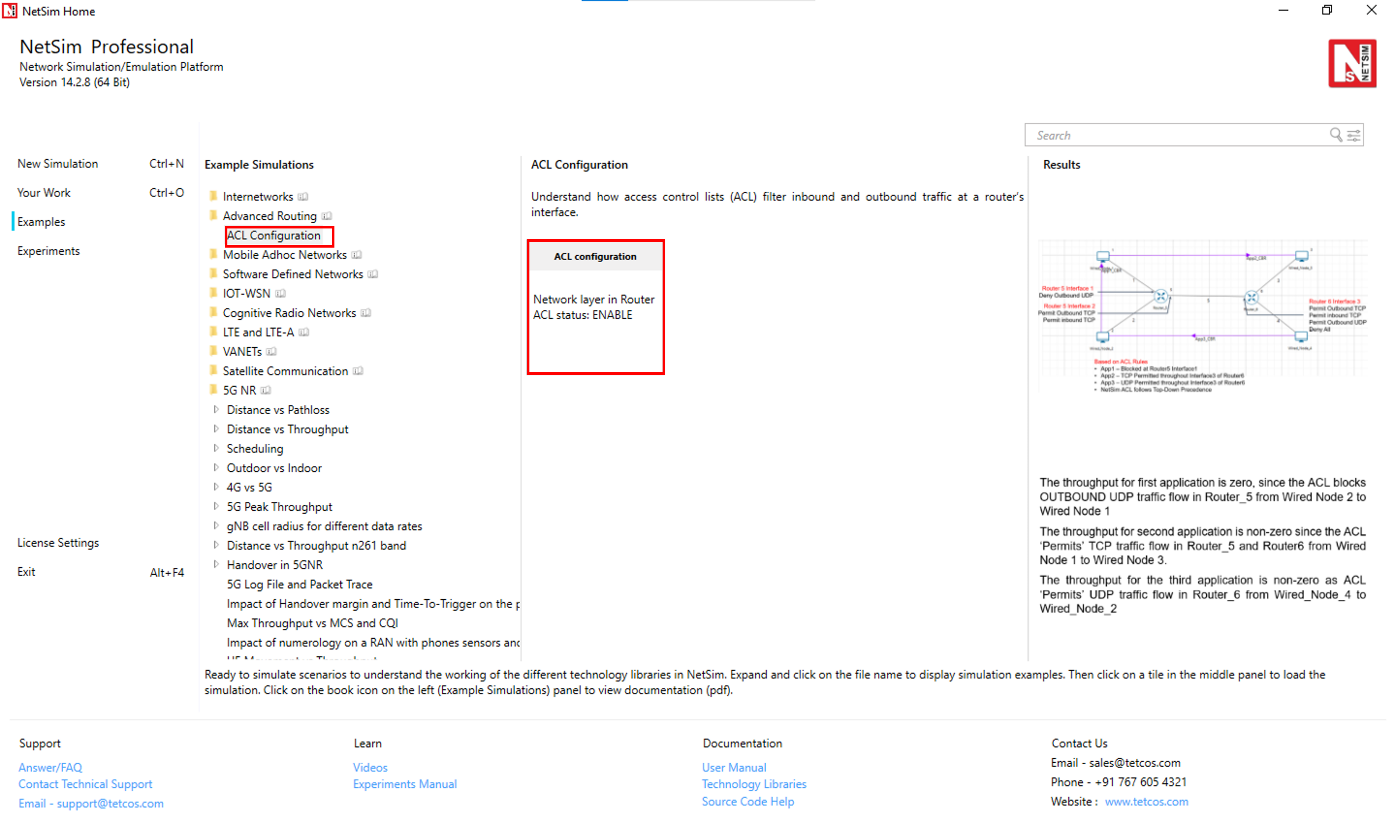
Open NetSim, select Examples -> Advanced routing -> ACL Configuration, and click the tile in the middle panel to load the example as shown below.
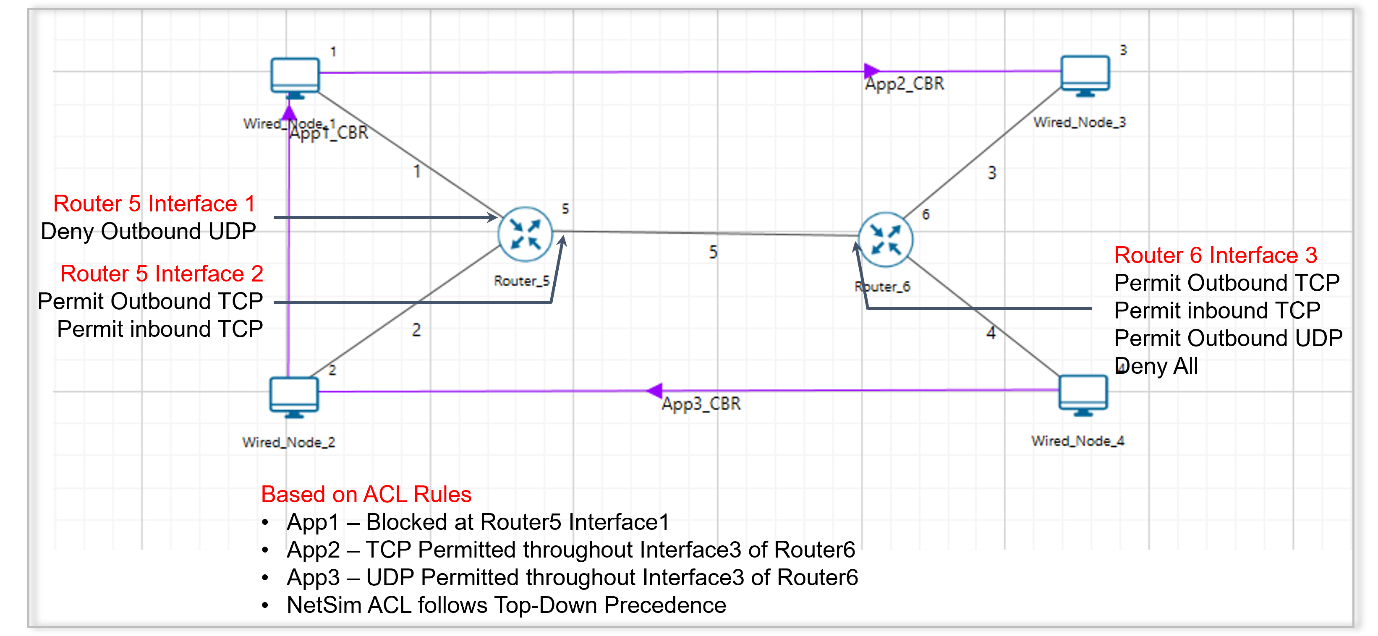
The following network diagram illustrates what the NetSim UI displays when you open the example configuration file for ACL.
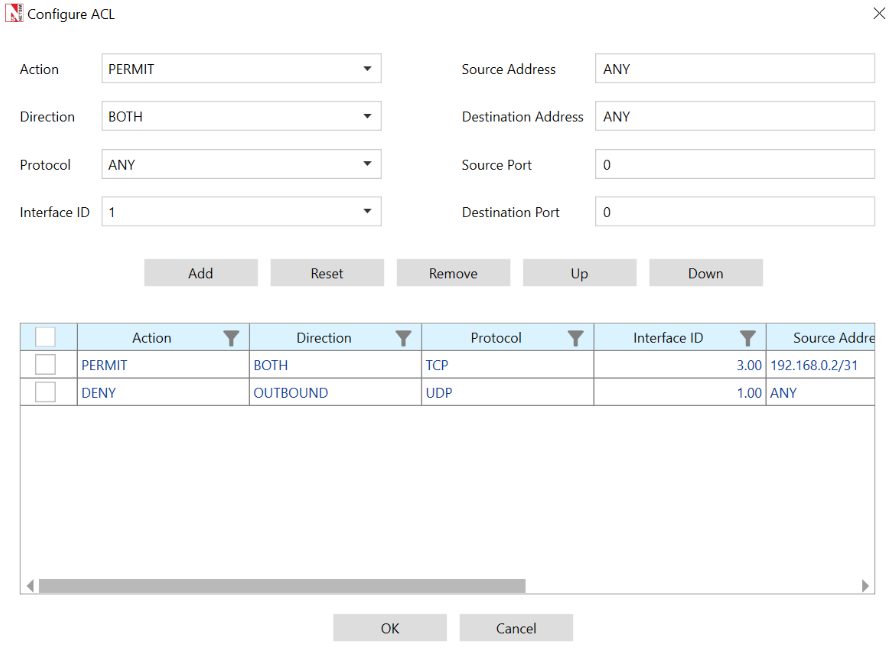
ACL is enabled in the network layer of Router 5 and configured as shown below.
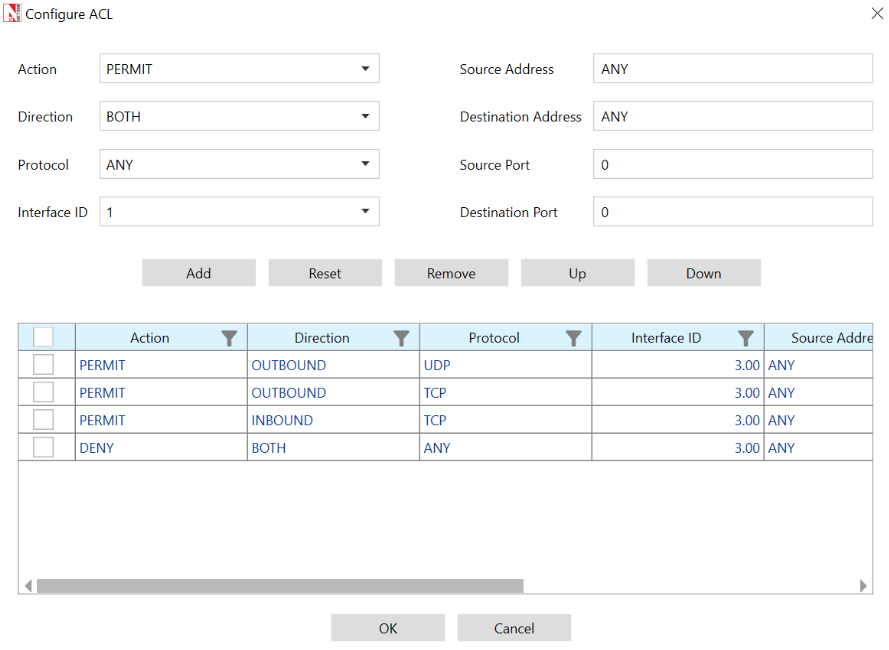
ACL is enabled in the network layer of Router 6 and configured as shown below.
Set the transport protocol as UDP for APP_1_CBR and APP_3_CBR.
Set the transport protocol as TCP for APP_2_CBR.
Run the simulation for 10 seconds and observe the throughput obtained for the three applications.
Result and Observations
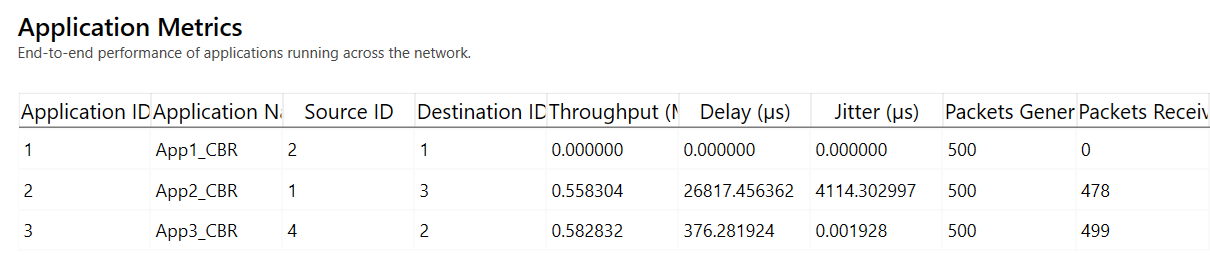
The throughput for the first application is zero, since the ACL blocks outbound UDP traffic flow in Router 5 from Wired Node 2 to Wired Node 1.
The throughput for the second application is non-zero, since the ACL permits TCP traffic flow in Router 5 and Router 6 from Wired Node 1 to Wired Node 3.
The throughput for the third application is non-zero, since the ACL permits UDP traffic flow in Router 6 from Wired Node 4 to Wired Node 2.